
What circadian lighting means
Circadian lighting changes the color temperature and brightness of white light through the day. Cooler, brighter white feels like daylight. Warmer, dimmer light feels more like evening. HueCommand bundles that idea into four simple presets so you do not have to pick numbers yourself.
The four presets
| Period | Feel | Color temperature | Brightness |
|---|---|---|---|
| Morning | Energizing cool white | about 4000K | 80% |
| Day | Bright daylight | about 4500K | 100% |
| Evening | Warm, relaxing | about 3000K | 60% |
| Night | Very warm, dim | about 2200K | 30% |
Presets only change lights that support color temperature, such as Hue White Ambiance and color bulbs. Other lights in the room are left alone. HueCommand shows how many lights in each room support it.
How HueCommand decides which period it is
By default HueCommand uses a fixed schedule:
- Morning from 6 to 9 am
- Day from 9 am to 5 pm
- Evening from 5 to 9 pm
- Night from 9 pm to 6 am
If you turn on Use Location in Circadian Settings, HueCommand works out today's sunrise and sunset for where you are and uses those instead. Morning starts at sunrise and lasts three hours, evening runs from two hours before sunset to two hours after, day fills the time between, and night covers the rest. The settings screen shows today's sunrise and sunset times and when the next period starts.
How to apply a circadian preset
- Open a room in HueCommand.
- Tap the Circadian chip. It shows the current period, color temperature and brightness, for example "Circadian: Evening".
- The room's color-temperature lights change to that preset.
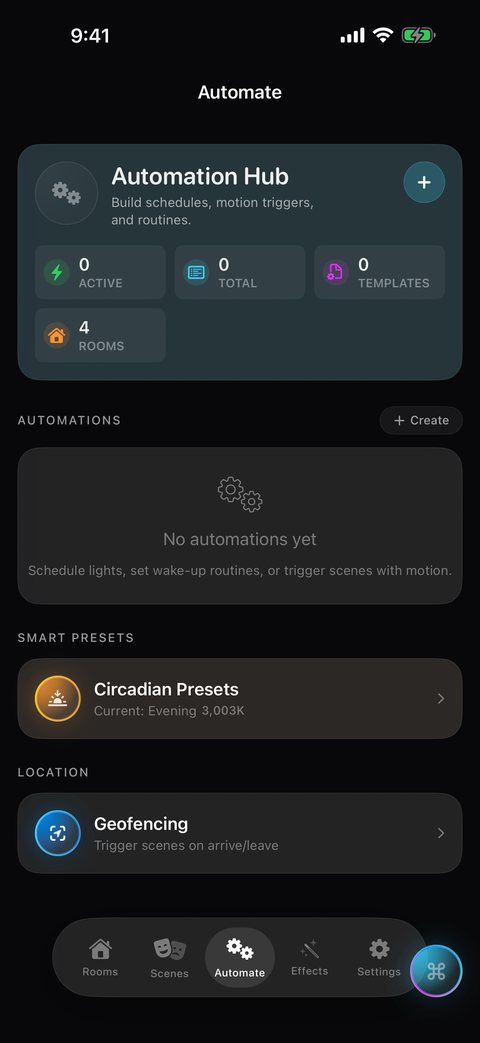
For more control, open the Automate tab and tap Circadian Presets. There you can pick any of the four periods and apply it to a room, or use the quick Sunrise and Sunset presets. Sunrise sets lights to the morning preset, and Sunset sets them to the dim, warm night preset.
Want it to change on its own?
Circadian presets are applied when you tap them. To have lighting change at set times every day, use the Day Planner (Pro) to schedule scenes for a room through the day. To wind down at bedtime, the free Goodnight fade dims a room to off over a time you choose.
Location is optional
Location is off until you turn on Use Location. When you do, HueCommand asks for permission only while the app is in use and requests an approximate position, about a kilometer, which is enough to calculate sunrise and sunset. The calculation is done in the app. If you decline, the fixed schedule is used.
Free for everyone
Circadian presets are part of HueCommand's free features, with no Pro subscription needed. You need a Philips Hue Bridge and at least one light that supports color temperature. HueCommand is listed on the App Store as Command for Philips Hue.
Frequently asked questions
Is circadian lighting free in HueCommand?
Yes. The circadian presets are free for everyone, without Pro.
Do the lights change automatically during the day?
No. HueCommand works out the right preset for the current time, and you apply it with one tap. For scheduled changes through the day, use the Day Planner, which requires Pro.
Why didn't some of my lights change?
Circadian presets only change lights that support color temperature. Color-only or plain white lights in the same room are left as they are.
Do I have to share my location?
No. Without location, HueCommand uses a fixed schedule of 6 am, 9 am, 5 pm and 9 pm. With location, it uses your local sunrise and sunset, and asks for approximate location only while the app is in use.