
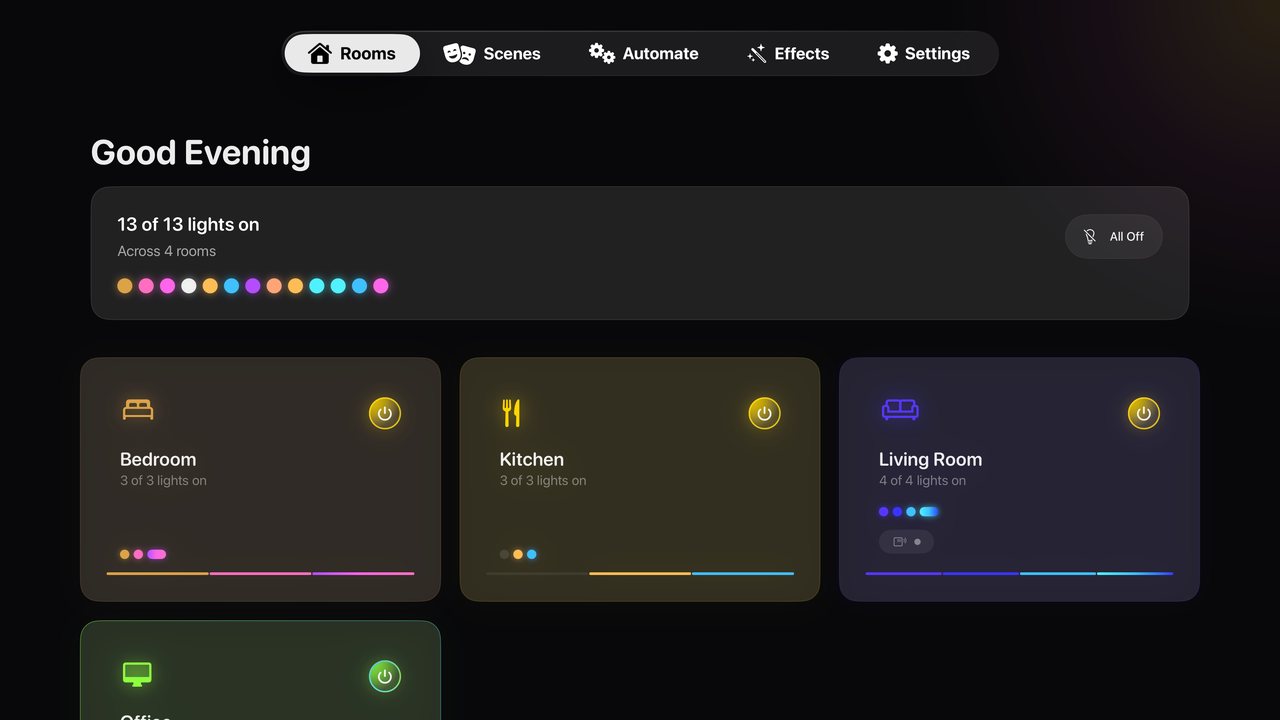
Your lights on the biggest screen in the house
When you sit down to watch something, your phone is often on the other side of the room. HueCommand (Command for Philips Hue on the App Store) includes a native tvOS app, so you can control your lights with the Siri Remote you're already holding.
The Apple TV app has the same five sections as the other versions: Rooms, Scenes, Automate, Effects and Settings. It talks directly to your Hue Bridge over your home network.
Built for the Siri Remote
- Clear focus highlights show which room, scene or effect is selected
- Each row is its own focus area, so up, down, left and right move where you expect
- Hold Select on a room to turn it on or off, or rename it
- Hold Select on a light to turn it on or off, or make it brighter or dimmer
- All On and All Off switch the whole house at once
Set up a movie night
Make a scene for watching films, for example a dim blue-purple living room called "Movie Night". You can build it in HueCommand or in the official Hue app. Scenes are saved on your Bridge, so the same scene appears on Apple TV and you can start it from the Scenes tab.
Effects add atmosphere:
- Candle Flicker and Fireplace use effects built into Hue lights. When every color light in the room supports them, they run on the Bridge and keep going after you leave the app to start your film.
- Ocean Waves, Northern Lights and Thunderstorm are animated by the app, so they stop when you leave it. Choose Keep it on to save one as a scene that stays on.
Fade the lights out at the end of the night
Open a room that has lights on and choose Goodnight to fade the whole room to off over 1, 5, 15, 30 or 60 minutes. The Bridge handles the fade, so you can turn off the TV and go to bed. More about Goodnight.
What isn't available on Apple TV
- Music sync and Entertainment Streaming: Apple TV has no microphone, so these are not in the tvOS app. Use iPhone, iPad, Mac or Apple Vision Pro.
- Remote access setup: the Apple TV is on your home network, so it reaches your Bridge directly. Set up remote access on iPhone or iPad.
- AI Scene Creator: not available on Apple TV.
- Screen sync: HueCommand doesn't match your lights to on-screen video. See what you can do without a Sync Box.
Free vs Pro
The app is a free download. Light and room control, scenes, effects and Goodnight are free on Apple TV. Pro is $2.99 a month or $19.99 a year (US prices, which can vary by country), or a one-time Lifetime unlock. See Free vs Pro.
Frequently asked questions
Is there a Philips Hue app for Apple TV?
Yes. HueCommand has a native tvOS app for Apple TV running tvOS 17 or later. You can control rooms, lights, scenes and effects with the Siri Remote.
Do I need my iPhone to use the Apple TV app?
No. The Apple TV app pairs with your Hue Bridge on its own. You press the link button on the Bridge during setup, the same way you do on any other device.
Can Apple TV sync my Hue lights to what's on screen?
No. HueCommand does not capture video or sync lights to the picture. It controls lights, scenes, effects and fades.
Do effects keep running while I watch something?
Candle Flicker and Fireplace keep going after you leave the app when every color light in the room supports Hue's built-in effect, because they then run on the Bridge. Other effects stop when you switch apps unless you save them with Keep it on.
Does music sync work on Apple TV?
No. Apple TV has no microphone, so music sync and Entertainment Streaming are only on iPhone, iPad, Mac and Apple Vision Pro.